39

Block Quote:

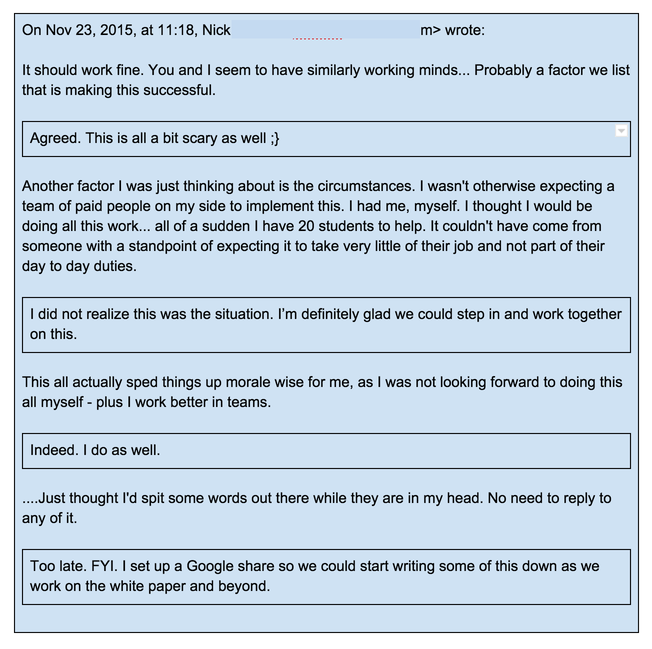
In the old version of GoogleDocs there was an option to block quote paragraph, which would create a nice dotted box for the paragraph and make it like a section in a very big doc.

Did anyone find a way to get that functionality with the newer docs, is there any plugin, css for it ?

This link says that there is a way to revert back to old version of docs by Settings (upper right) / Documents / Editing / un-check the box for starting with new formats. I couldnt find that. The link is a year old

Folding:

In Lotus Notes there was this nice option of folding. You get a small triangle that you can use for folding section of texts. Is it possible to do that in Google Docs and even Outlook for that sake ?

ale
  • 52,972
  • 42
  • 165
  • 314
codeObserver
  • 747
  • 2
  • 6
  • 8

3 Answers3

16

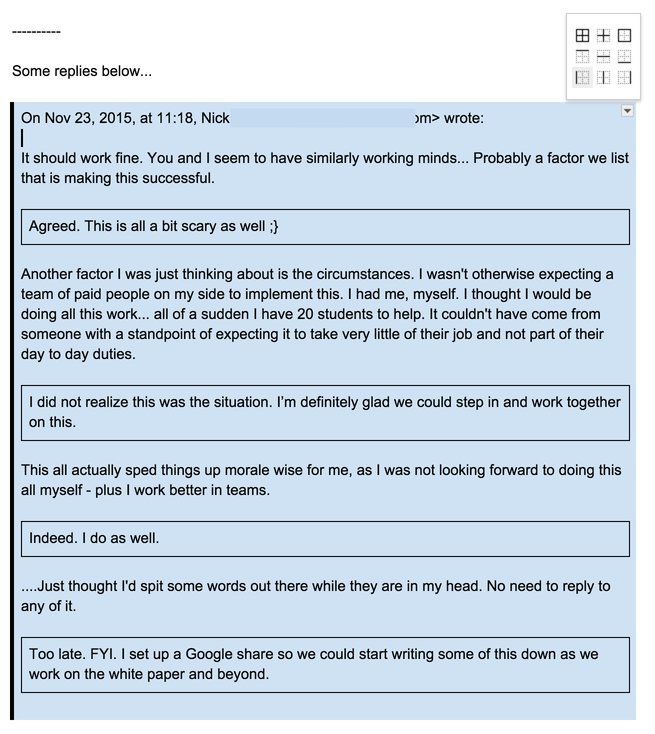
Add a Table and color its background and border how you like.

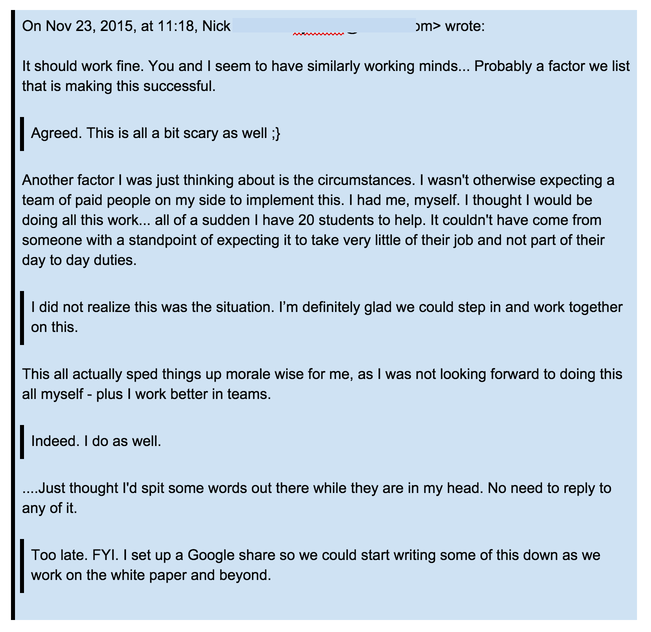
Below I show a 3-step setup of tables to make it look like an email chain reply.

Make a Table/s

enter image description here

Modify its looks

enter image description here

Finished

enter image description here

Nay
  • 278
  • 2
  • 6
3

The easiest way to format your quote for block quotes is to:

  1. Highlight the desired text;
  2. Adjust the margin ruler at the top of the page according to the desired spacing.

Once you are done, simply press enter to start a new line and the margins will be reverted back to the original spacing.

If you are familiar with Microsoft Word, then this should be pretty easy.

Alex
  • 22,820
  • 12
  • 83
  • 106
user54873
  • 39
  • 2
-1

[Doesnt work any more]

I was able to hack this a little:

You can open an old document [which you have still not migrated to the new version] , then go to File => make a copy. Now rename the document and you have a new doc in the old format :). Back to happy days of block quote !!.

This might not last longer though , if google changes something.

codeObserver
  • 747
  • 2
  • 6
  • 8