13

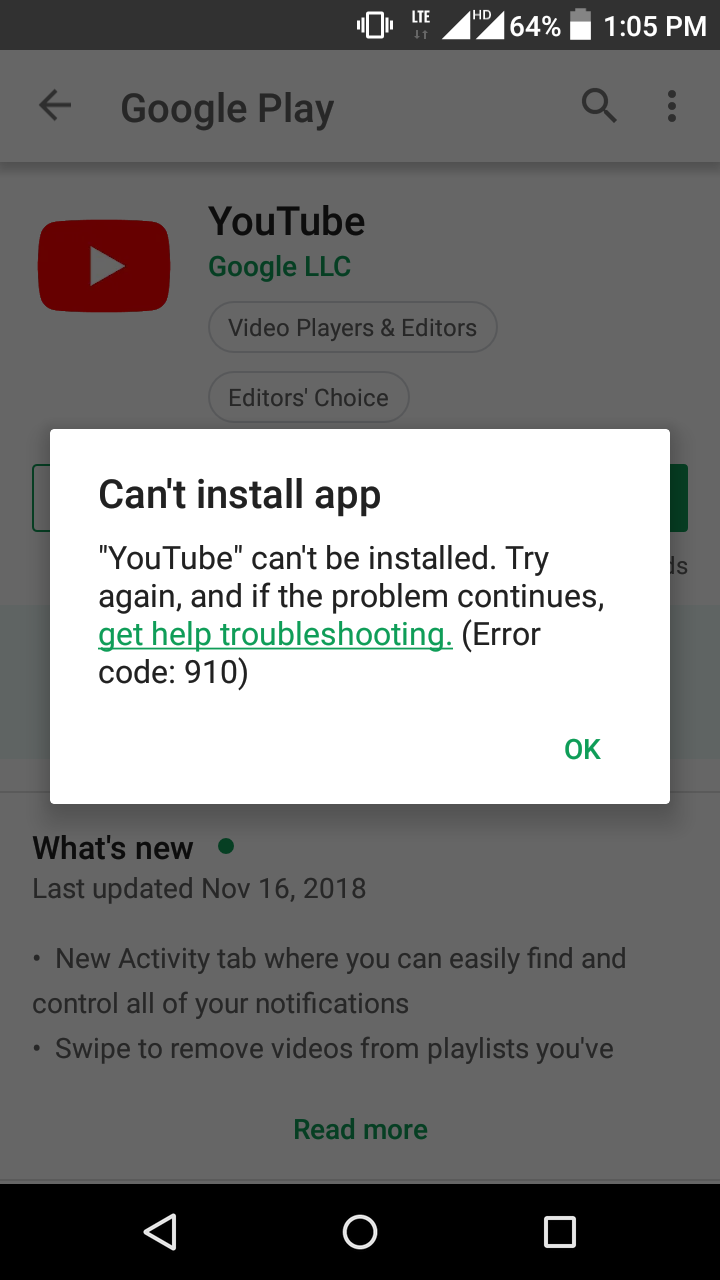
I am using Android Lollipop mobile. I have uninstalled preinstalled Youtube app updates. Now I tried to update the app from Play Store. It is giving the error "Can't install app" with error code 910.

I have tried the following steps:

  1. Deleted Play Store app's cache and data.
  2. Deleted Download manager app's cache and data
  3. Deleted Youtube app's cache and data.
  4. Restarted phone.

And tried again, still same error occurred. How do I fix this?
IMG:

Firelord
  • 25,528
  • 21
  • 129
  • 295
Sandeep Reddy K.
  • 253
  • 1
  • 2
  • 7

7 Answers7

3

I had been getting error 910 for days. I finally managed to solve the problem using the following steps:

I "ejected" the SD card via settings, device, storage. I didn’t physically need to remove the card from the phone.

(Android 6.0.1..... Blackberry Priv.)

DWC
  • 31
  • 1
3

I had the same problem after trying to upgrade my Snapchat app to the alpha version following a tutorial on the XDA developers forum. After finishing the tutorial, the app wouldn't uninstall, run, or reinstall properly. The solution (for me) was to uninstall the broken app using ADB.

  1. Install adb (if you haven't already).
  2. Enable developer mode on your phone (if you haven't already).
  3. Type adb devices into the terminal / command line.
  4. Tap 'yes' on the authorization prompt on your phone (if you haven't already authorized).
  5. Type adb uninstall <insert package name here> to uninstall the broken app.
  6. You can now reinstall the app from the Play store or wherever you got it from.
2

Unfortunatly none of these solutions worked for me. So I have downloaded latest Youtube apk from third party site and installed successfully. App is working fine. But in Play store it is still showing my earlier version app and asking to update. I guess hereafter every time I need to update from apk only.

Sandeep Reddy K.
  • 253
  • 1
  • 2
  • 7
2

Go to storage setting and set default storage setting to “Phone memory” or “Let the device decide”.

(Error 910 happens due to sd card set as a default storage.)

Aditya
  • 21
  • 1
1

I had this problem with a Blackberry Priv with Android 6.01. What worked for me was:

  1. Go to Settings → Personal → Security → Device administrators, disable the “Google Pay” administrator, and enable the “Blackberry Launcher” administrator.
  2. Go to Settings → Device → Users, and select Guest.
  3. Go to Settings → Device → Users, and select Myself - and log back in.
  4. Return to Google Play → My apps and games, and install.

This was done after a reboot and two previous installation attempts. The app that wouldn’t update was “Google”.

Firelord
  • 25,528
  • 21
  • 129
  • 295
Simon
  • 11
  • 1
0

In my case it was the Wish app. It would download, then pop up with that exact error.

I moved it from my external SD card back to internal storage. I updated it, then went to move it back to external SD card, but it said I had no space. I know for a fact I do (I had a 512 GB SD card, so plenty of room). I ended up turning phone off for a few minutes then back on, and it moved just fine. So if it's moved to external SD card, maybe that's it.

Firelord
  • 25,528
  • 21
  • 129
  • 295
0

I was having the exact same issue! I just solved it by removing the sd card from my device. I don't know if the error will return after I put it back, but I was able to install apps.