13

Printer: FDM printer (FDM == Fusion Deposition Modelling).

Raw Material: Thermoplastics.

How do I do multicolor printing? What changes should I make to the printing process/to the raw material used?

(Answer in the context of printing a basic 3X3 Rubix cube)


Bonus: What are the best practises while doing multi-colour printing? (<-- This is opinion based and/or broad, so pl add an answer to this point as an extra to your answers if you can. It would greatly help people getting started/practising with multi-colour printing)

Dawny33
  • 568
  • 5
  • 13

4 Answers4

8

There are a few different approaches I've seen which you could look into.

The easiest and most common is multiple extruders, each with a different color of thermoplastic. Tools like Pronterface and Slic3r have built-in support for multiple extruders. With multiple extruders you can get one color per extruder; there's no clear way to mix colors and get a color between the input materials' colors.

Another, more complicated approach is to use a single extruder with three inputs, like this one, where thermoplastic from the three inputs can be mixed in varying amounts to get color gradients between the input colors. With red, yellow, and blue filament, you could get a rainbow of colors...albeit without any control over value (white to black) or saturation (bright vs dull color).

Marsh
  • 1,536
  • 2
  • 16
  • 29
7

Here are the methods of printing with multiple colors that I'm aware of (from the most common to the rarest):

  1. Print each color separately and the assembly/glue them together - this isn't technically multicolor printing but this I the most common solution since most printers aren't multi-color

  2. Multiple extruders, one for each color - this is by far the easiest and mot common multi-color setup, but it won't help with a rubic cube because I don't think its practical to build a printer with 6 extruders

  3. The multi color hotend from @MartinCarney answer that feed multiple filaments into a single nozzle - I really don't know anything about those hotends

  4. Last, there's a trick you can use that stops in mid-print and let you swap filament, more information in this youtube video, but this also won't help with a rubic cube because you can't use different colors in the same layer

Nir
  • 2,561
  • 8
  • 21
  • 33
2

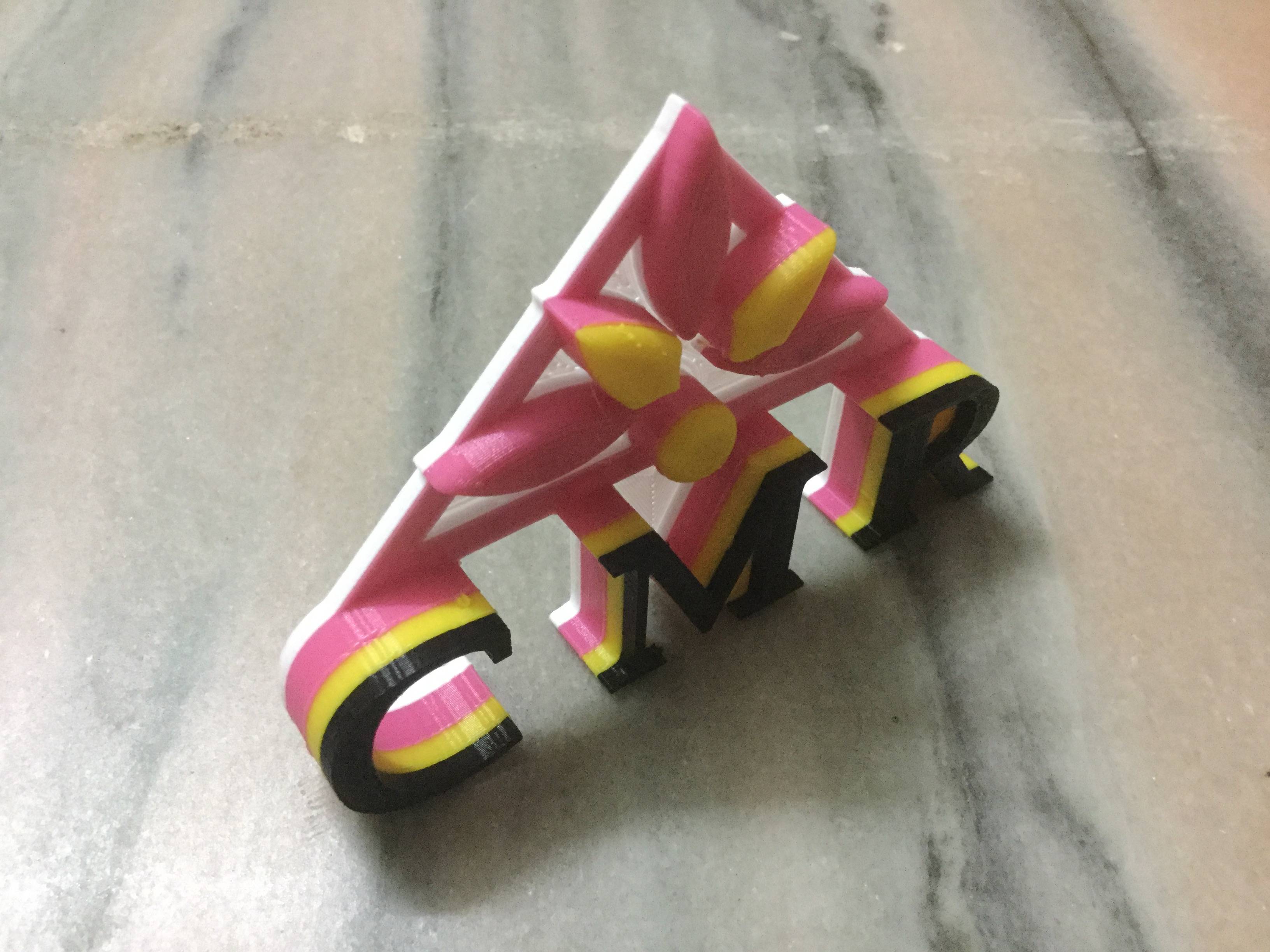
Design a product in such a way that it has different heights that can be seen in one plane.

By using direct drive extrusion we can easily change the material of different colours with out pausing the print to obtain colour print.

Example of multicoloured print

mac
  • 4,785
  • 1
  • 14
  • 37
Ajay Kumar
  • 19
  • 1
1

If you are trying to print something like a Rubic's Cube in the correct colors without using paint or stickers, there are only a couple of options.

Assuming that you are using a printer with only a single extruder and no fancy gadgets, you will need to print each color cube you will need to print in a lot of pieces and then put them together. You can't use tricks like changing the filament manually at a certain level for most of the cubes because most of the cubes are corner cubes with 3 colors.

Assuming that you have some sort of multi-material system, then you just use STL files that are made with the proper colors. And I'm talking any sort of multi-material system, including multiple extruders, the fancy extruder described by @Martin Carney, or the MMS from prusia3d.com which has 4 inputs to a single extruder with the disadvantage of no mixing and having to automatically waste filament when changing colors.

There is another system used by the da Vinchi Full Color 3d Printer which sprays ink onto the filament as its printing.

Since the standard STL file doesn't have color definitions, the normal thing to do is to break up the original file into several STL files each with their own color. This requires Meshmixer or a 3d modeling program.

I've done a lot of research on this, but haven't had a chance to try yet because my Original Prusia 3d and its Multi-Material kit haven't arrived yet. :(

NomadMaker
  • 293
  • 1
  • 2
  • 6